

In short
- A photographer who already shoots a listing can add staging and redesign without another site visit, because the work starts from photos already taken.
- Multi-Angle Staging renders every photo of one room on the same room type, style and seed, so a set reads as one scheme instead of several unrelated rooms.
- Individual pieces of furniture will not line up exactly between angles; a frame that strays can be re-run on the same seed.
- Your cost per standard image on Vesta's self-serve plans is $0.64 to $0.67; your margin is your fee minus that cost minus the time you spend reviewing.
- Price per finished image or per room, quote a re-run policy up front, and always deliver the originals with the staged set.
- Disclosure is part of the deliverable: anyone producing images on an agent's behalf can be covered by California's AB 723.
Real estate photography is a volume business with a ceiling. There are only so many shoots a day, and each one is a drive, a setup and an edit. Adding services to the shoots you already have is usually easier than finding more shoots, and staging is the most natural add-on there is: the agent is already paying to photograph an empty or tired room, and the next question is always how it would look furnished. This article sets out a practical way to offer multi-angle staging and room redesign, and a way to price it from your own numbers rather than anyone else's.
What "multi-angle" actually means
A listing rarely shows a main room once. The living room appears from the entry, from the far corner and sometimes from the kitchen. If each photo is staged separately, each one gets its own sofa, rug and palette, and an agent flicking through the gallery sees three different rooms. That is the problem Multi-Angle Staging is designed to solve.
You upload every photo of one area and stage them in a single pass, with the room type, design style and generation seed held identical across the set. A seed fixes the starting point of the model's randomness, so a shared seed steers every frame toward the same kind of furniture, the same palette and the same density. The set reads as one scheme.
"Instant" deserves the same honesty. A staged frame comes back in minutes, not seconds, and every frame still needs your eye before it goes to the client. The real speed gain is that staging happens on the same day as the shoot, inside your normal editing session, rather than as a separate job that takes days.
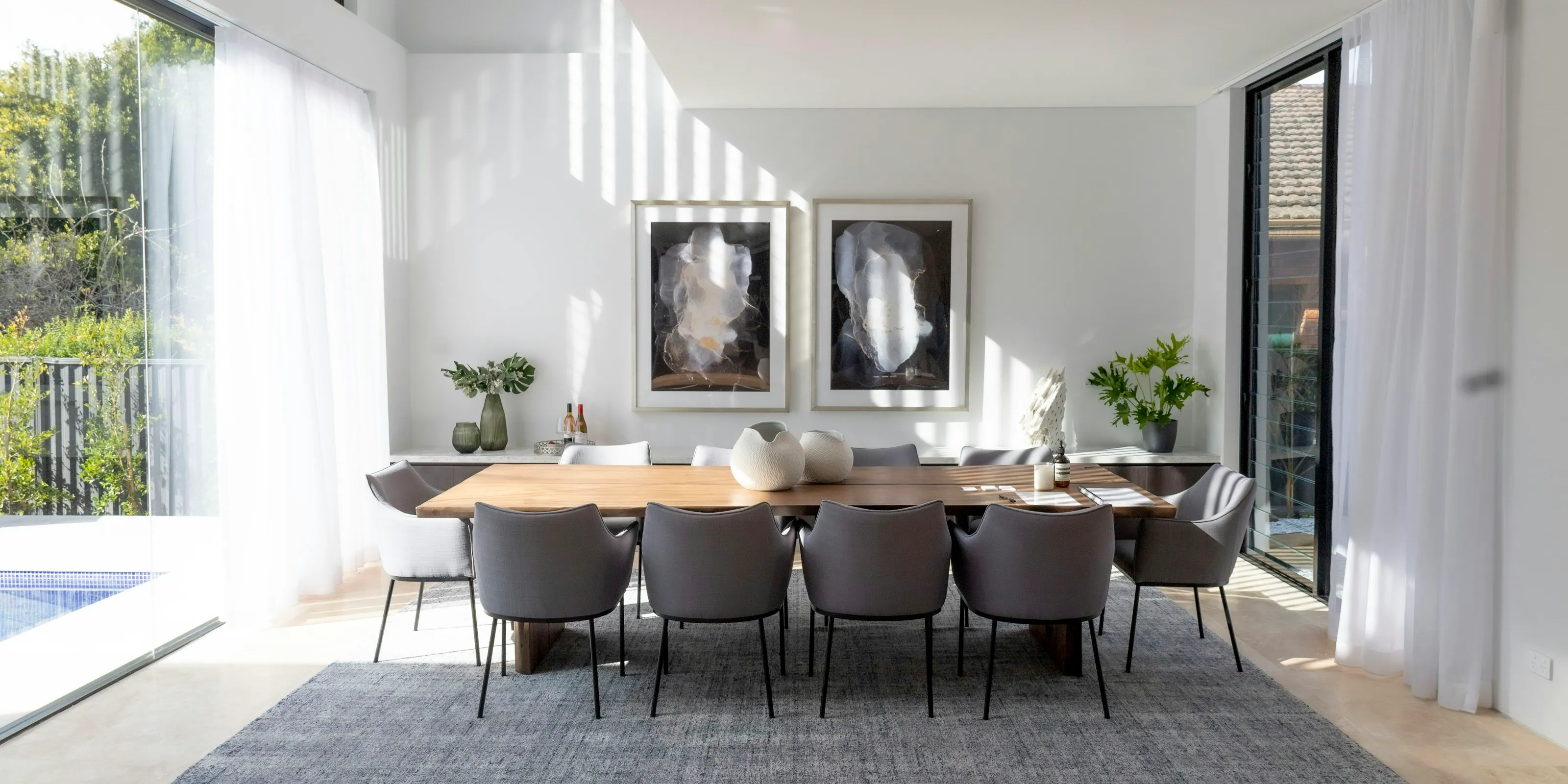
Redesign, not just staging
Empty rooms are the obvious use, but many listings are occupied, half furnished or furnished badly. A photographer who can handle those has more to offer than one who can only furnish a blank floor. Vesta has no single "room redesign" button; redesign here means combining the editing tools, each of which covers a common case:
- Room Declutter clears furniture and clutter from a room in one pass, leaving it ready to stage from scratch.
- Furniture Eraser removes a selected piece and reconstructs the floor and wall behind it.
- Add Furniture adds the pieces a partly furnished room is missing, composed at the room's scale.
- AI Chat Edit changes a frame by plain-language instruction, such as a different sofa or a warmer palette, turn by turn.
- Material Overlay visualizes new flooring, paint or finishes. This changes elements of the property, so it needs a label that says the finish is illustrative.
Each of these is a standard operation, one credit per image at standard resolution, the same as a staged frame. That keeps the cost side of your pricing simple, whatever the job.
A workflow that fits inside your edit
- Shoot with staging in mind. Level verticals, even light, the room cleared of loose items, and every main room from at least two positions. Photographing rooms for staging has the full list.
- Edit your originals as usual. Exposure, white balance and straightening first. The staged image inherits the quality of the original.
- Group frames by room. Put every angle of the living room together, every angle of the primary bedroom together, and so on.
- Stage each group in one pass. Use the agent's chosen style and note the seed shown on screen for each set. Redesign edits such as decluttering or a finish change are made frame by frame, so review those frames side by side for consistency.
- Review every frame against its original. Walls, windows, flooring and views must match. Re-run strays on the same seed.
- Export with the right options. Disclosure is always on. Keep the QR to the original for social and print, or switch it off and provide the listing's originals link for an MLS that bans QR codes.
- Deliver the package. Staged images, originals named to match, and the originals link.
Pricing it from your own numbers
We cannot tell you what to charge. Rates vary too much by market, by client and by the kind of work you are known for, and we do not publish figures we cannot source. What we can do is give you a model that turns your own numbers into a price you can defend.
The variables
| Variable | What it is | Where it comes from |
|---|---|---|
| F | Your fee per finished staged image | Your price list |
| c | Your cost per credit | Your plan: $0.64 to $0.67 on self-serve plans |
| r | Average extra renders per finished image (re-runs, variants) | Your own records; start with an estimate and correct it monthly |
| t | Minutes of your time per finished image (grouping, review, export) | Time yourself on a few jobs |
| H | What an hour of your time is worth | Your target hourly rate |
The margin per image
Your margin on one finished image is the fee, minus the credits it used, minus the time you spent on it:
The credit term is small next to the time term. At $0.64 a credit, even a frame that needs one re-run costs about $1.29 in credits. Your review time is what decides whether the service is worth offering, which is why the workflow above groups frames and stages each room in one pass.
A worked example with stated assumptions
The numbers below are assumptions for illustration, not market rates or a recommendation. Replace each one with your own. Suppose you charge F = $15 per staged image, you are on the Studio plan at c = $0.64, one frame in four needs a re-run (r = 0.25), review and export take t = 4 minutes per image, and you value your time at H = $60 an hour.
| Line | Calculation | Per image |
|---|---|---|
| Fee | F | $15.00 |
| Credits | $0.64 × 1.25 | −$0.80 |
| Your time | $60 × 4 ÷ 60 | −$4.00 |
| Margin | $10.20 |
Multiply by the frames in a typical job to see the job-level figure. A listing with three main rooms photographed from three angles each is nine staged images. Change any assumption and the result moves; the point of the model is that you can see which assumption matters. In this example, shaving a minute off review is worth more than any change in the plan price.
Choosing a plan
| Plan | Price a month | Credits a month | Effective price per standard image |
|---|---|---|---|
| Solo | $29 | 45 | $0.64 |
| Agent | $50 | 75 | $0.67 |
| Studio | $180 | 280 | $0.64 |
To size a plan, estimate the staged frames you deliver in a month, multiply by (1 + r), and choose the plan whose credits cover it. The Studio plan's 280 credits suit a photographer staging several listings a week; the smaller plans suit a photographer testing the service with a few regular clients.
Packaging the offer
Agents buy outcomes, not credits. Package the service so it is easy to say yes to, and so the agent knows exactly what arrives:
- Per image. One finished staged or redesigned frame. The simplest line on a price list.
- Per room, all angles. Every photo of one room, staged as one matched set. Price it as a bundle so agents are not tempted to stage only one angle.
- Core rooms. The living area, primary bedroom and kitchen or dining area, all angles, one style.
- Redesign add-on. Declutter and restage an occupied or dated room, or show a finish change, priced above plain staging because the review is more careful.
- Exteriors. Twilight, sky and season edits as a separate line, because they suit different listings.
State a re-run policy on the quote. For example: one round of style changes included, further rounds charged per image. It protects your time and sets the agent's expectations about matching between angles before the first set is delivered.
Disclosure is part of the deliverable
California's AB 723 puts the duty to disclose on brokers and salespeople and on anyone acting on their behalf. A photographer producing staged images for an agent can fall into that group. Outside California, MLS rules commonly require staged photos to be labelled. Either way, a photographer who delivers images that are ready to disclose is protecting the client.
- Every Vesta render carries a disclosure mark burned into the image. No plan can remove it, so you cannot accidentally deliver an unlabelled staged photo.
- Every staged frame has a public page showing its original beside it. Exports carry a QR code to that page unless you switch it off.
- Every listing has one link to all of its originals, for MLS remarks or a link field.
- Every render and export is fingerprinted with SHA-256 and recorded in an append-only ledger. If an agent's photo is ever questioned, the exported file can be checked on the compliance page.
What remains with the agent is placing the label and the link wherever the photo is advertised. Tell them so in your delivery note. This is a summary, not legal advice; our AB 723 compliance guide goes further.
What to deliver
| Item | Why it matters |
|---|---|
| Staged or redesigned images, disclosure on | The marketing images the agent paid for |
| Originals, named to match | Required under AB 723 in California and by some MLSs elsewhere |
| The listing's originals link | For MLS remarks when QR codes are not allowed in photos |
| A note of which images were altered and how | Lets the agent label each image accurately |
| The files exactly as exported | Their SHA-256 fingerprints match the ledger; portal copies will not |
Where this service is a poor fit
Not every client needs it, and saying so builds trust. A well-furnished occupied home may only need tidying. A luxury listing sold mostly at private showings may be better served by physical staging, with photographs of the real furniture. And a room with damage the seller has not fixed should be photographed as it is; staging around a stained ceiling invites exactly the complaint disclosure exists to prevent.
Questions this article answers
Will staged furniture match exactly across different angles of the same room?
No. Multi-Angle Staging holds the room type, style and seed constant, so the set shares one palette and furniture language, but each view is composed separately and individual pieces will not line up exactly. A frame that strays can be re-run on the same seed.
How much does each staged image cost a photographer on Vesta Studio?
One finished standard image is one credit. On self-serve plans a credit works out at $0.64 to $0.67. Re-runs, variants and higher resolutions use extra credits; a failed render does not use one.
What should a photographer charge for virtual staging?
That depends on your market and your time. Use margin per image = fee − credit cost × (1 + re-run rate) − hourly value × review minutes ÷ 60, with your own numbers, and set a fee that leaves a margin you are happy with.
Do photographers need to disclose virtual staging?
In California, AB 723 covers anyone producing altered listing images on an agent's behalf, and many MLSs require labels elsewhere. Vesta burns a disclosure mark into every render; the agent places the label and link in the advertisement.
Can I redesign a furnished room, not just stage an empty one?
Yes. Room Declutter clears a room before restaging, Furniture Eraser removes single pieces, Add Furniture fills gaps, and AI Chat Edit makes changes by instruction. Each is one credit per standard image.